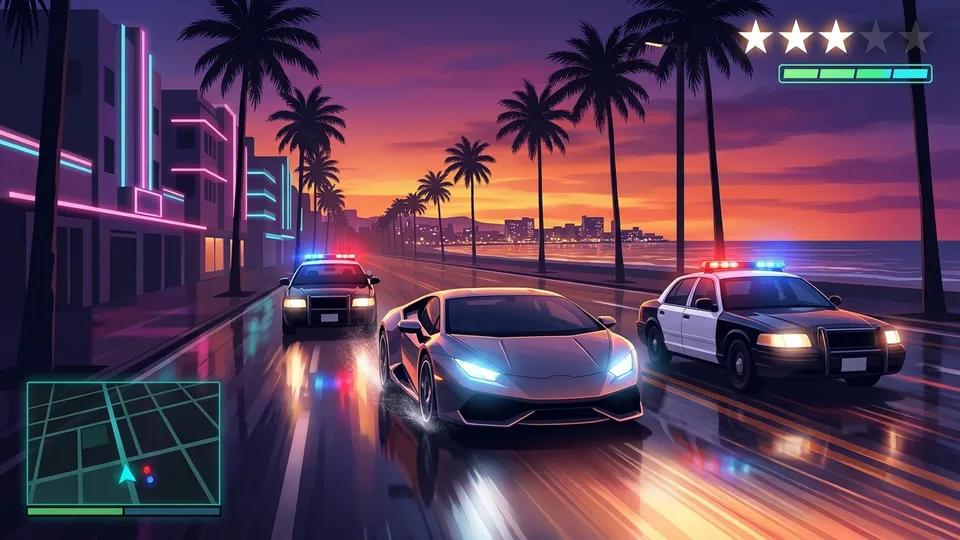
Make a clean GTA 6 clip from YouTube streams, Twitch clips and VODs, or Kick clips in 16:9 or 9:16 Fit—keep the minimap intact with no ads or watermarks.
Paste a gameplay link above to make a clean GTA 6 clip in seconds without downloading multi-gigabyte VODs. Whether you need a vertical 9:16 GTA 6 clip for TikTok and YouTube Shorts or a widescreen 16:9 GTA 6 clip for a compilation, set exact Start and End timestamps and export watermark-free MP4 or MP3 straight from your browser.
Paste a GTA 6 link. Copy an individual YouTube gameplay video, stream replay, or Short—a public Twitch clip or Twitch VOD (twitch.tv/videos/…)—or a Kick clip you have permission to use, then select Load video.
Set exact timestamps & 9:16 Fit. Dial in Start and End markers (with −1s / +1s nudges) and keep 9:16 Vertical for TikTok, Reels, and Shorts, or switch to 16:9 Wide for compilations.
Export clean MP4 or MP3. Sign in for up to 3 free 1080p clips per day (1–120 seconds), select Create clip, and download your watermark-free file from Clips within 24 hours.
GTA 6 clip ideas for edits, TikTok, and Shorts
Not sure which moments earn replays when cutting GTA 6 clips for edits, montages, or GTA 6 TikTok feeds? Focus on four repeatable highlight patterns and trim tightly so viewers grasp the payoff in the opening two seconds:
Heist fails & mission chaos
Botched getaway turns, mistimed explosives, and last-second squad wipes consistently drive comments and shares across short-form feeds.
First 2s hook: Start 1 second before the plan breaks—right as the getaway car clips a barrier or the alarm trips—instead of keeping 15 seconds of quiet setup.
Police chases & 5-star escapes
High-speed Vice City pursuits, roadblock jumps, and narrow alley escapes look sharpest when viewers can track both the road and the radar minimap.
First 2s hook: Open mid-chase with sirens already blaring and wanted stars flashing, using −1s / +1s nudges to land frame one on a near-miss or collision.
Easter eggs & map details
Hidden references, wild NPC physics, and secret shoreline locations generate strong saves and "where is this?" comment threads.
First 2s hook: Cut straight to the Easter egg or strange NPC behavior at 0:00–0:02 first, then let the map location or streamer reaction follow immediately after.
Streamer reactions & squad comms
Unscripted voice-chat panic, clutch callouts, and first-time trailer or cutscene reactions make ready-to-edit base clips for commentary channels.
First 2s hook: Lead with the sharpest spoken line or sudden reaction beat, then trim out dead air at the end within 1 second after the laugh or payoff lands.
Keep the GTA 6 minimap and wanted-level HUD intact in 9:16
Standard center-crop vertical editors slice off the left and right edges of 16:9 gameplay—cutting away the GTA 6 minimap, health indicators, wanted stars, or streamer facecam. VideoClipper’s 9:16 Vertical Fit keeps 100% of the widescreen frame centered inside a vertical canvas with clean dark padding above and below, giving you a clean base layer ready for captions or commentary in CapCut, Premiere, or DaVinci Resolve.
16:9 Original Gameplay
Standard 9:16 Crop (HUD cut off)
VideoClipper 9:16 Fit (HUD intact)
Stylized gameplay illustration comparing a 16:9 source, standard 9:16 center crop (slices off corner minimap and wanted stars), and VideoClipper 9:16 Fit (keeps both HUD corners intact with clean padding for captions or a facecam).
When a major stream moment drops, turnaround time decides who reaches TikTok and YouTube Shorts first. Most AI auto-clippers force you to upload or queue multi-gigabyte VODs, wait through processing queues, and pay recurring monthly subscriptions while an algorithm guesses which scenes matter.
When you already spotted the exact timestamp on a YouTube livestream replay—or grabbed a live clip on Twitch or Kick—this manual GTA 6 clip maker extracts your exact segment directly in the browser without downloading the full source file. Watching a permitted GTA 6 video on YouTube right now? Replace youtube.com with videoclipper.co in your address bar (for example videoclipper.co/watch?v=VIDEO_ID&t=90) to jump straight into the editor with your timestamp preloaded.
GTA 6 clip specs & supported platforms
Feature
Details
Supported inputs
YouTube watch links, youtu.be links, YouTube Shorts, Twitch clips (clips.twitch.tv/…, twitch.tv/channel/clip/…), public Twitch VODs (twitch.tv/videos/… with optional ?t= timestamps), and Kick clips (kick.com/channel/clips/clip_…).
Not supported yet
Full Kick broadcast VOD URLs (kick.com/channel/videos/…), subscriber-only Twitch VODs, and local PS5/Xbox file uploads. For Kick streams, create or copy a Kick clip link first (see Kick Clip Downloader).
Formats & quality
MP4 and WebM video (360p–1080p free, up to 1080×1920 in 9:16 Fit; 2K 1440×2560 & 4K 2160×3840 with credits on supported YouTube sources); MP3, M4A, OGG, and Opus audio extraction for dialogue or sound bites.
Aspect ratios
9:16 Vertical Fit (default here, keeps minimap and wanted stars intact with zero cropping) and 16:9 Wide—zero pop-up ads and zero watermarks.
Pricing
Up to 3 free standard 1–120s clips per day (resets at 16:00 UTC); optional one-time credit packs from $4.99 for extra exports, longer segments, or 2K/4K with no recurring subscription.
Independent tool notice: VideoClipper is an independent browser utility and is not affiliated with, endorsed by, or connected to Rockstar Games, Take-Two Interactive, YouTube, Twitch, or Kick. Only clip footage you own or have permission to reuse.
GTA 6 Clip Maker FAQ
Which links work in this GTA 6 clip maker?
Paste an individual YouTube watch link, youtu.be link, or YouTube Short (including long gameplay uploads and stream replays), a public Twitch clip or Twitch VOD link (twitch.tv/videos/…, including ?t= timestamps), or a Kick clip link (kick.com/channel/clips/clip_…). Full Kick broadcast VOD links and local console uploads are not supported yet—create a Kick clip link on Kick first, or check our GTA 6 clipping guide for platform URL examples.
How do I turn a 16:9 GTA 6 clip into 9:16 without cutting off the minimap?
Select 9:16 Vertical under Output aspect ratio. VideoClipper uses Fit framing to keep the full widescreen GTA 6 picture intact—preserving the minimap, health bar, and wanted-level HUD with clean padding above and below. Read the how to make GTA 6 clips for TikTok & Shorts guide for exact 1080×1920 specs and timestamp examples.
How is this GTA 6 clip maker different from AI clippers with monthly subscriptions?
AI auto-clippers queue long VODs and meter recurring subscription minutes while guessing highlights. When you already know the timestamp in a YouTube stream or grabbed a Twitch or Kick clip, VideoClipper exports your exact GTA 6 clip immediately—with zero pop-up ads, no watermarks, 3 free 1080p clips per day, and optional one-time credit packs starting at $4.99.
Is VideoClipper affiliated with Rockstar Games, and what footage can I clip?
No. VideoClipper is an independent web tool not affiliated with, endorsed by, or connected to Rockstar Games or Take-Two Interactive. Only clip gameplay, trailers, or creator streams that you own or have permission to reuse under creator guidelines or authorized clipping campaigns. See our Copyright & DMCA policy for details.